Today, many free video editing software options offer advanced features like colour correction, AI-powered editing, visual effects, subtitles, and professional audio tools. Whether you are a beginner learning video editing, a content creator building your channel, or a business creating marketing videos, choosing the right tool can make a big difference.
Creating professional-quality videos is no longer limited to filmmakers or creators with expensive editing setups. With the growth of YouTube, Instagram Reels, online learning platforms, and digital marketing, video content has become an important way for individuals and businesses to communicate with their audiences.
The good news is that you do not always need expensive software to start creating impressive videos. Many free video editing software options available today offer powerful features such as AI-powered editing, colour correction, visual effects, subtitles, transitions, and professional audio tools.
However, with so many editing tools available, choosing the right one can be confusing. Some software is designed for beginners who want quick and simple edits, while others provide advanced features for creators looking to produce professional-level videos.
The best free video editing software depends on your goals. Beginners may prefer simple tools like CapCut or iMovie, while advanced creators may choose professional solutions like DaVinci Resolve.
In this guide, we will explore the best free video editing software in 2026, compare popular tools like Adobe Premiere Pro vs DaVinci Resolve, CapCut vs Premiere Pro, DaVinci Resolve vs Final Cut Pro, and help you choose the right video editor based on your goals and skill level.
What Is the Best Free Video Editing Software?
DaVinci Resolve is considered one of the best free video editing software options because it provides professional-level editing, colour grading, audio editing, and visual effects tools without requiring a paid subscription. For beginners, CapCut and iMovie are easier alternatives because they offer simple interfaces and ready-made templates.
The right choice depends on:
Your editing experience
Type of videos you create
Device compatibility
Required features
Long-term editing goals
What Features Should You Look for in Free Video Editing Software?
Before choosing a video editor, consider the features that matter most for your projects.
1. Easy-to-use Interface
Beginners should choose software with a simple timeline, drag-and-drop editing, and easy navigation. A complicated interface can slow down the learning process.
2. Video and Audio Editing Features
A good editor should allow you to:
Cut and trim clips
Add background music
Adjust audio levels
Add transitions
Insert text and subtitles
Export videos in high quality
3. AI Editing Features
Modern video editors now include AI tools such as:
Automatic captions
Background removal
Noise reduction
AI effects
Smart video resizing
These features help creators produce content faster.
4. Export Quality
Choose software that supports:
Full HD videos
4K exports
Different file formats
Social media-friendly dimensions
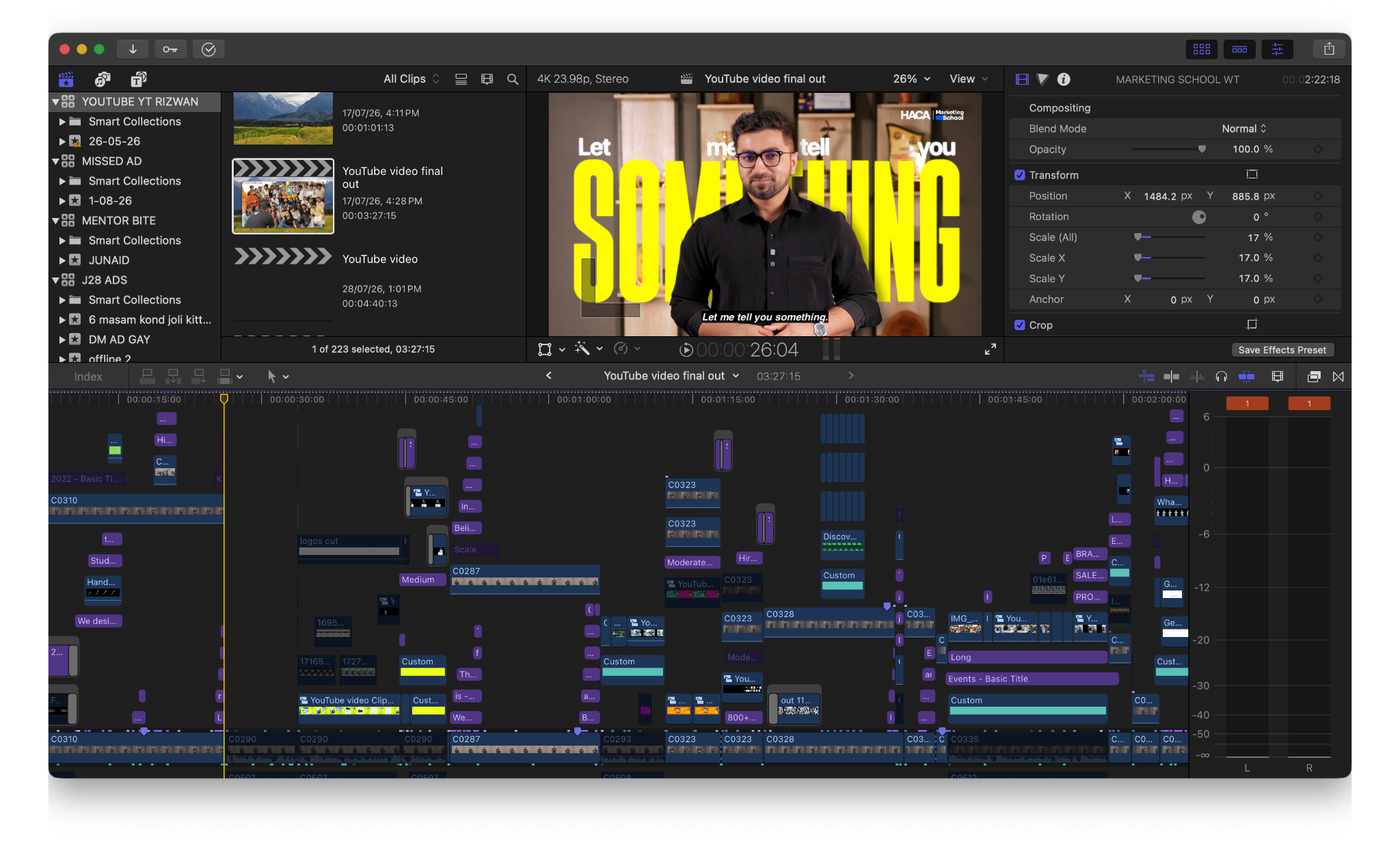
5 Best Free Video Editing Software in 2026
1. DaVinci Resolve: Best Free Professional Video Editing Software
DaVinci Resolve is one of the most powerful free video editing software options available today. Developed by Blackmagic Design, it is widely used by filmmakers, YouTubers, and professional editors.
Unlike many free editors, DaVinci Resolve provides advanced tools for video editing, colour grading, visual effects, and audio production.
If colour grading is an important part of your workflow, learn how to choose the right colour grading software based on your skills, budget, and editing needs.
Key Features:
Professional video editing timeline
Advanced colour correction tools
Fusion visual effects
Fairlight audio editing
Multi-camera editing
AI-powered editing features
Best For:
YouTube creators
Filmmakers
Professional video editors
Users who want to build advanced editing skills
Pros:
Powerful free version
No watermark
Professional-level features
Available for Windows and Mac
Cons:
Requires a powerful computer
Takes time to learn
For creators who want to move from beginner editing to professional production, DaVinci Resolve is one of the best choices.
DaVinci Resolve is particularly powerful for colour work. If you want to explore its capabilities in more detail, read our guide to DaVinci Resolve colour grading
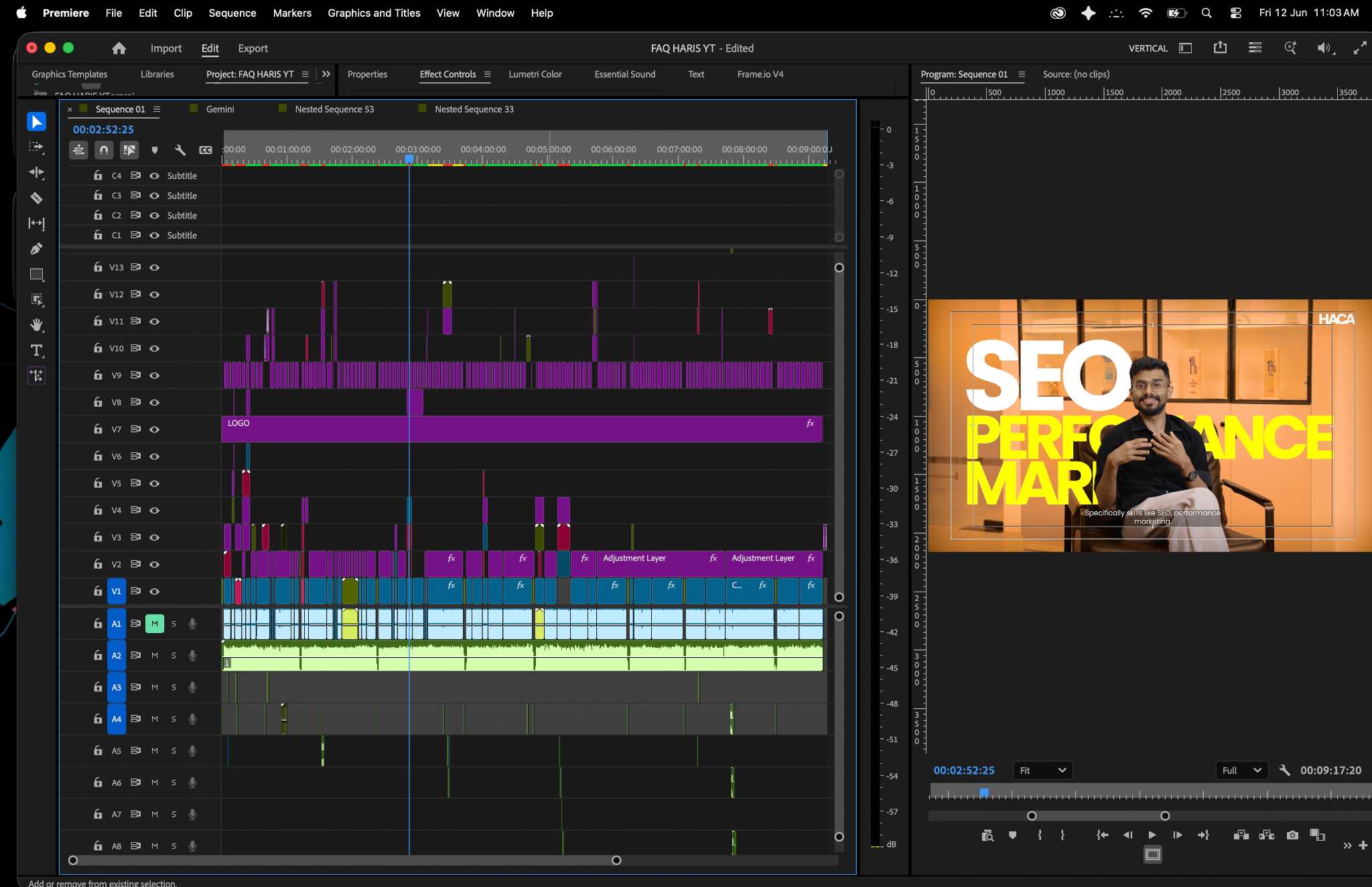
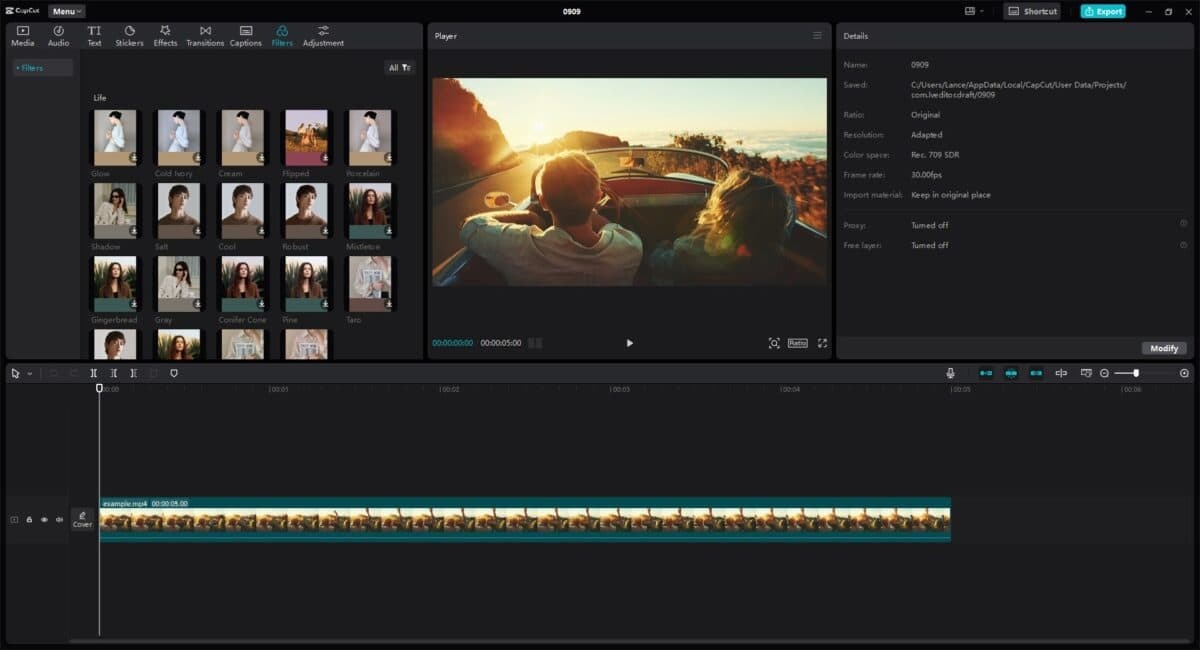
2. CapCut: Best Free Video Editor for Social Media Content
CapCut has become extremely popular among Instagram, TikTok, and YouTube Shorts creators. Its simple interface and AI-powered features make it ideal for beginners.
The software allows users to create engaging short-form videos without advanced editing knowledge.
Key Features:
Auto captions
AI background removal
Video templates
Filters and effects
Trending transitions
Music library
Best For:
Instagram Reels
YouTube Shorts
Social media marketing videos
Beginners
Pros:
Easy to learn
Mobile and desktop versions available
Large template collection
Cons:
Limited professional editing features compared to DaVinci Resolve
For creators focused on quick and engaging social media content, CapCut is one of the best video editing apps available.
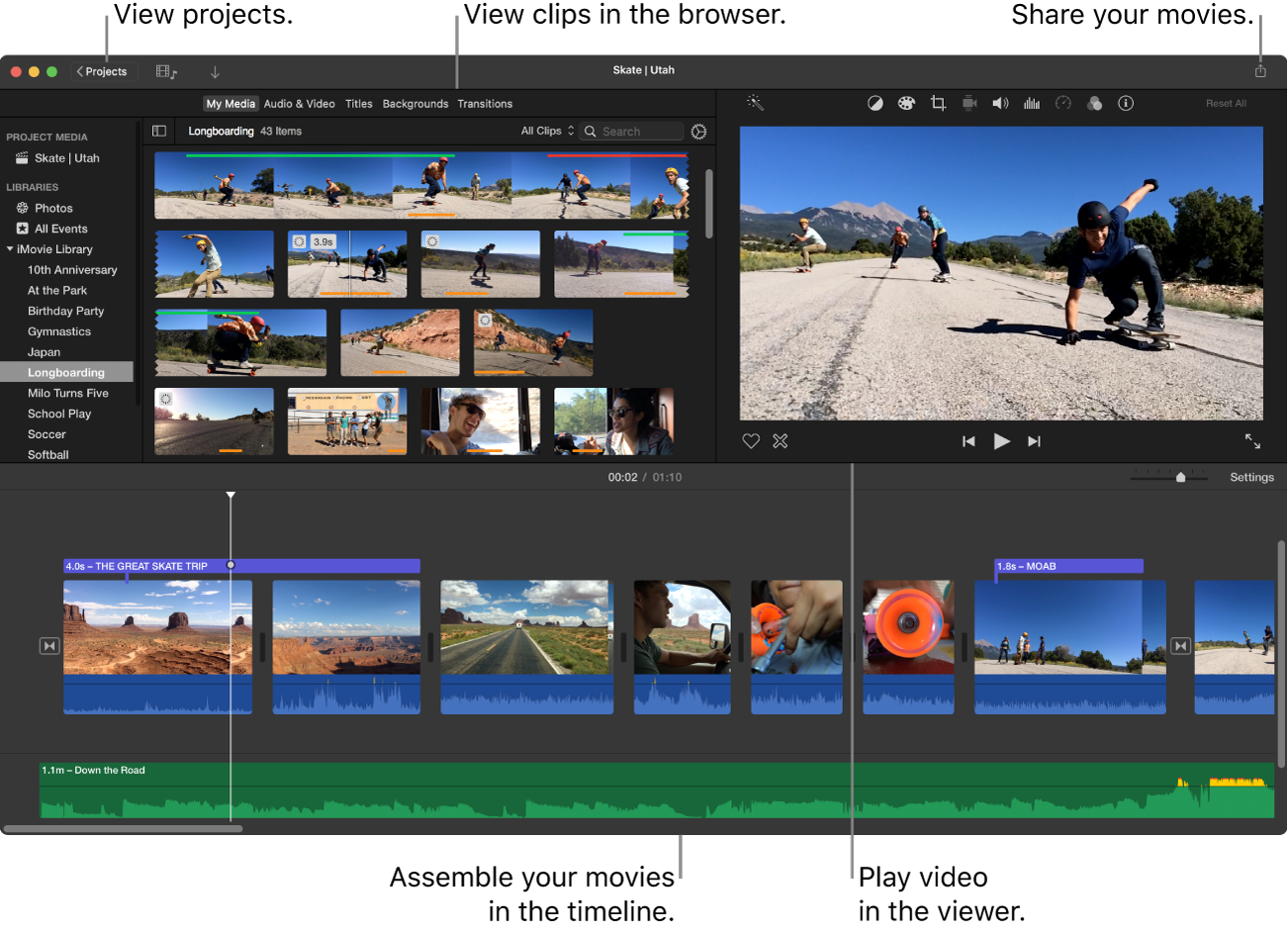
3. iMovie: Best Free Video Editor for Apple Users
iMovie is Apple's free video editing software available for Mac, iPhone, and iPad users. It is designed for beginners who want to create professional-looking videos quickly.
Key Features:
Simple timeline editing
Built-in themes and templates
4K video support
Audio editing tools
Apple device integration
Best For:
Mac users
Students
Beginners creating personal videos
Pros:
Completely free for Apple users
Easy interface
Smooth performance
Cons:
Available only within the Apple ecosystem
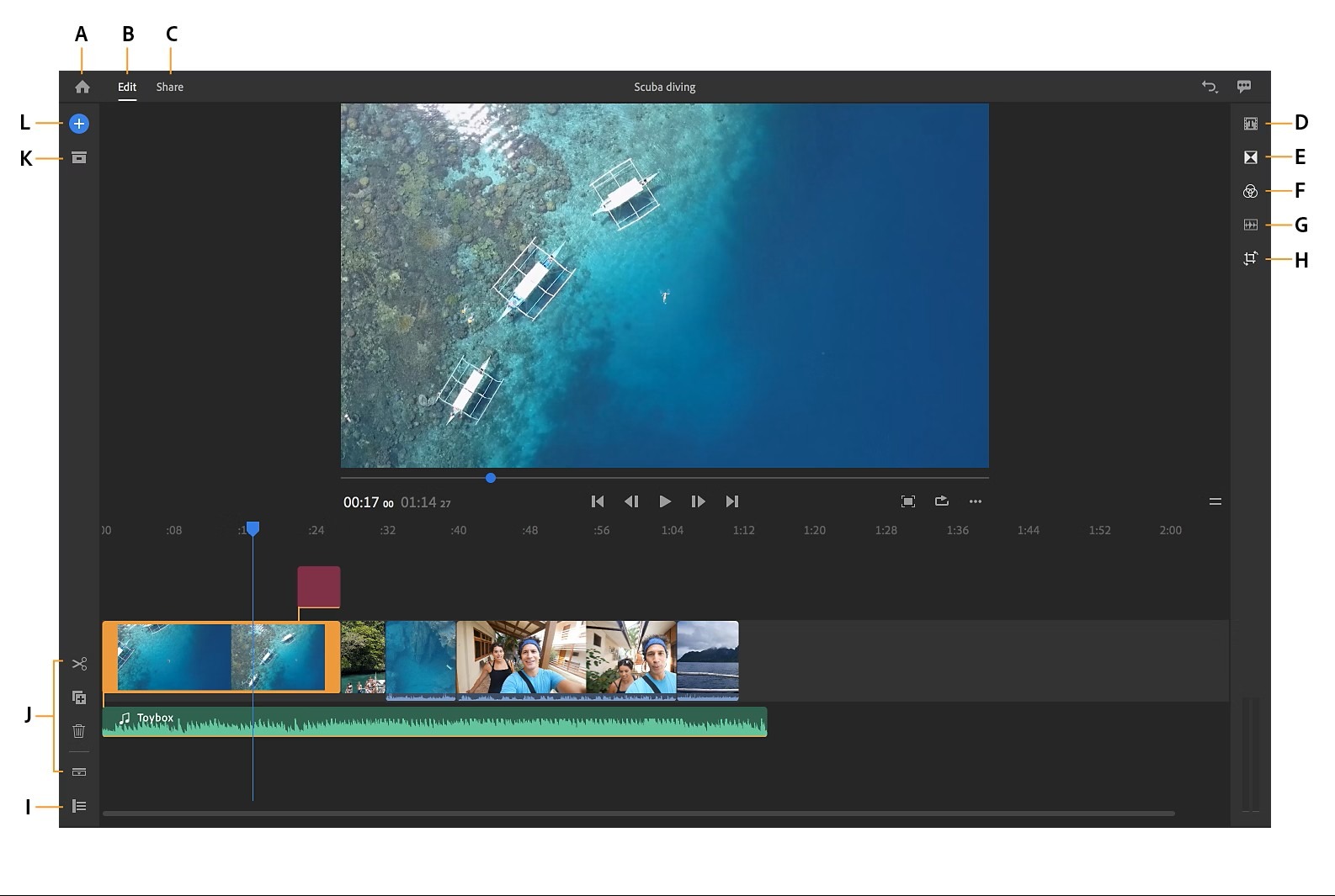
4. Adobe Premiere Rush: Best Beginner Adobe Video Editor
Adobe Premiere Rush is a simplified version of Adobe Premiere Pro. It is designed for creators who want Adobe's editing experience without the complexity of professional software.
Key Features:
Simple editing workflow
Social media export options
Adobe Creative Cloud integration
Mobile editing support
Best For:
Beginners
Content creators
Users planning to learn Adobe Premiere Pro later
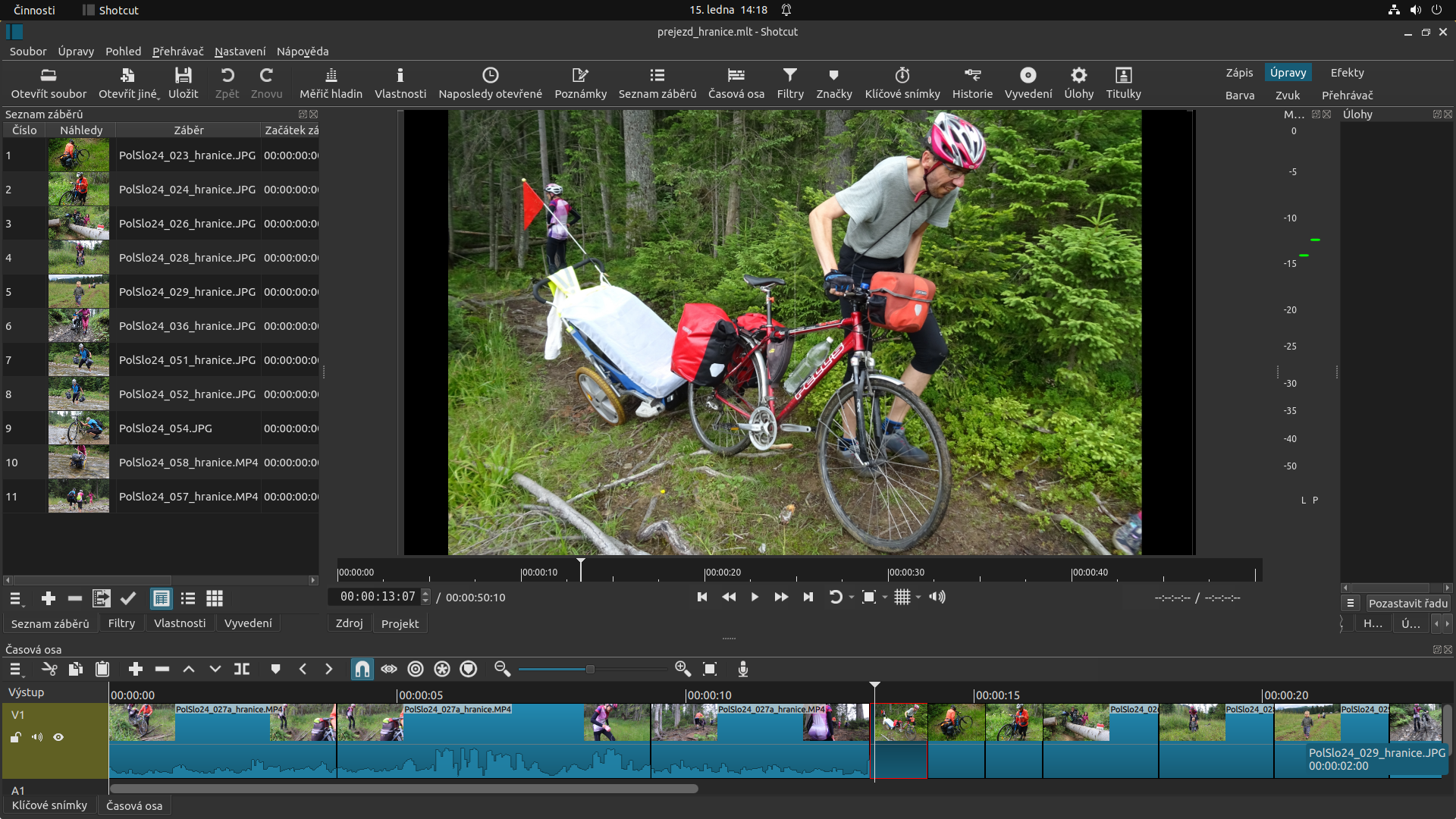
5. Shotcut: Best Open-Source Free Video Editor
Shotcut is a free, open-source video editor that supports multiple operating systems, including Windows, Mac, and Linux.
Features:
Wide format support
Audio editing tools
Video filters
Customisable interface
It is a good option for users who need a lightweight editing tool without subscription costs.
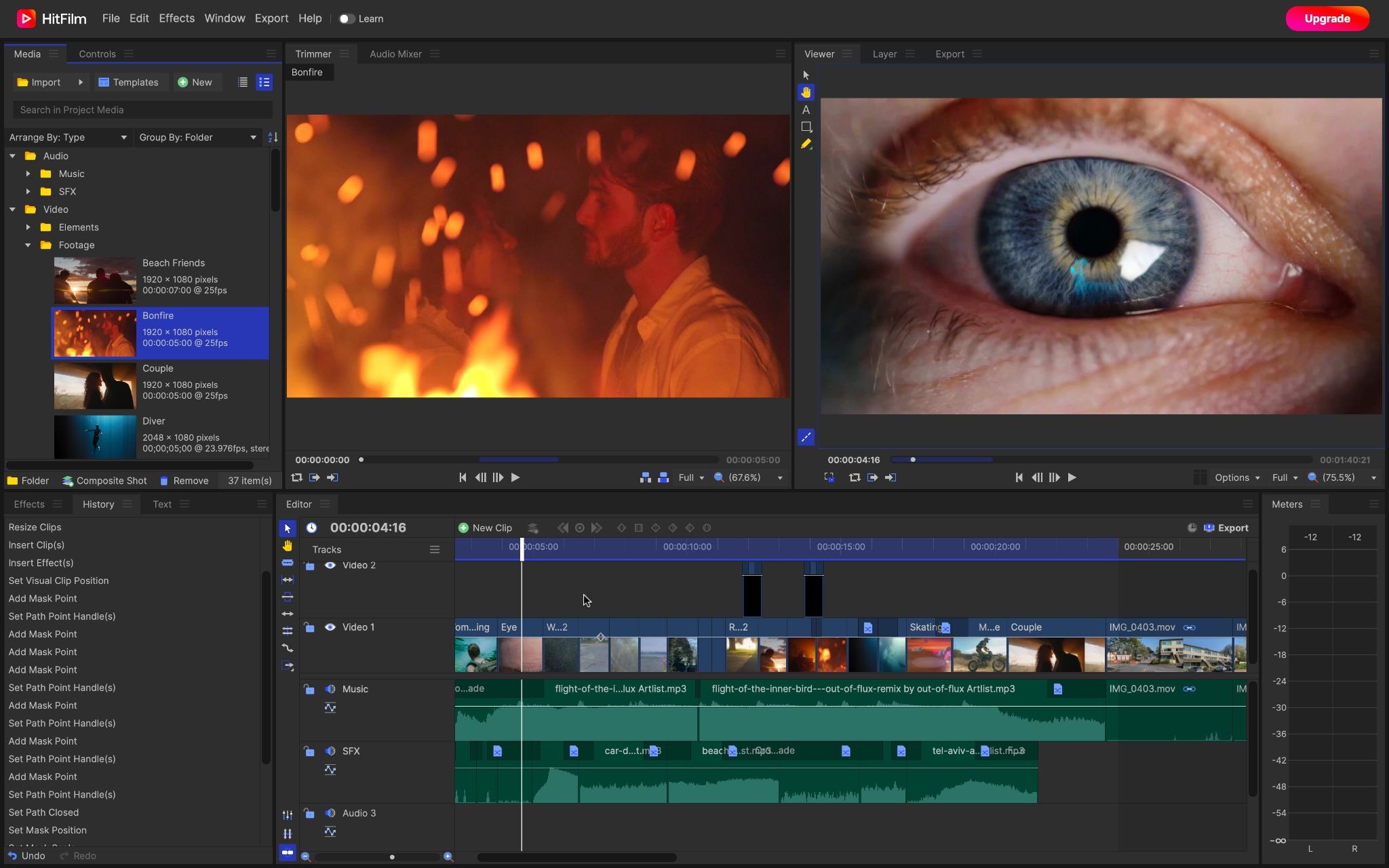
6. HitFilm: Best Free Video Editor for Visual Effects
HitFilm combines video editing with visual effects capabilities. It is suitable for creators interested in cinematic videos and creative effects.
Features:
Video editing tools
Motion graphics
Visual effects
Animation features
It is useful for creators who want to experiment with more advanced editing techniques.
Comparison of Free Video Editing Software
Software | Best For | Skill Level | Platform |
DaVinci Resolve | Professional editing | Advanced | Windows, Mac |
CapCut | Reels and Shorts | Beginner | Mobile, Desktop |
iMovie | Apple users | Beginner | Mac, iOS |
Premiere Rush | Quick editing | Beginner | Desktop, Mobile |
Shotcut | Basic editing | Intermediate | Windows, Mac, Linux |
HitFilm | Visual effects | Intermediate | Windows, Mac |
How to Choose the Best Free Video Editing Software?
Choosing a video editor becomes easier when you understand your requirements.
Best Free Video Editing Software for Beginners
If you are completely new to video editing, choose:
CapCut
iMovie
Adobe Premiere Rush
These tools have simple interfaces and require less technical knowledge.
Best Free Video Editing Software for YouTube Creators
For YouTube creators who need professional-quality videos:
DaVinci Resolve is the best option because it provides advanced editing, colour grading, and audio features.
Best Free Video Editing Software for Social Media Marketing
For businesses and marketers creating Instagram Reels, promotional videos, and advertisements:
CapCut is a practical choice because of its templates, AI tools, and fast editing workflow.
Businesses in Kerala, Dubai, and across India can use tools like CapCut and DaVinci Resolve to create affordable marketing videos without investing heavily in production software.
Video editing is an important part of an effective video marketing strategy; learn more about why video marketing is so powerful in Dubai and how businesses can use it to reach their audiences.
Learn the Editing Mindset Before Mastering the Tools
Choosing the right video editing software is only the beginning of creating professional videos. While tools provide the features needed for editing, understanding how editors approach storytelling, workflow, pacing, and creative decisions plays an equally important role.
Before exploring advanced editing techniques, it is important to understand the mindset behind professional video editing. This helps beginners move beyond simply adding effects and transitions and focus on creating videos that communicate a clear message.
Watch this free demo session by HACA Design School, "Think Like an Editor: A Simple Guide for Beginners," to understand how editors think, plan projects, choose the right workflow, and approach video editing from a professional perspective.
https://youtu.be/s4QaHKRVe9I?si=HcZQaNtdV4f2RRJX
This beginner-friendly session covers the fundamentals of an editor's mindset, tools, workflow, and real project approaches, helping aspiring creators understand what goes into creating impactful videos.
Adobe Premiere Pro vs DaVinci Resolve: Which One Is Better?
Adobe Premiere Pro and DaVinci Resolve are two of the most popular professional video editing tools.
Feature | Adobe Premiere Pro | DaVinci Resolve |
Pricing | Paid subscription | Free version available |
Editing Tools | Advanced | Advanced |
Colour Grading | Excellent | Industry-leading |
Learning Curve | Moderate | Higher |
Best For | Professional editors | Filmmakers and creators |
Premiere Pro vs DaVinci Resolve: Which Should You Choose?
Choose Adobe Premiere Pro if:
You already use Adobe Creative Cloud
You work with professional teams
You need industry-standard workflows
Choose DaVinci Resolve if:
You want powerful free software
You focus on colour grading
You are learning professional editing
CapCut vs Premiere Pro: Which Video Editor Should You Use?
CapCut and Premiere Pro serve different audiences.
Feature | CapCut | Premiere Pro |
Ease of Use | Very easy | Moderate |
Professional Editing | Limited | Advanced |
AI Features | Strong | Advanced |
Best For | Social media content | Professional projects |
CapCut is ideal for quick videos, while Premiere Pro is better for filmmakers, agencies, and professional editors.
DaVinci Resolve vs Final Cut Pro: Which Is Better?
DaVinci Resolve and Final Cut Pro are popular choices among professional editors.
Feature | DaVinci Resolve | Final Cut Pro |
Platform | Windows and Mac | Mac only |
Pricing | Free version available | Paid |
Performance | Excellent | Excellent |
Best For | Professional creators | Apple professionals |
Mac users who prefer Apple's ecosystem may choose Final Cut Pro, while creators looking for a powerful free option often prefer DaVinci Resolve.
Premiere Pro vs After Effects: What Is the Difference?
Many beginners confuse Premiere Pro and After Effects because both are Adobe products, but they serve different purposes.
Adobe Premiere Pro
Used for:
Video editing
Timeline management
Audio editing
Colour correction
Video production
Adobe After Effects
Used for:
Motion graphics
Animation
Visual effects
Special effects
Professional creators often use both together. Premiere Pro handles video editing, while After Effects adds advanced animations and effects.
Conclusion
Choosing the right free video editing software depends on your experience, creative goals, and the type of content you want to create. Beginners can start with simple and user-friendly tools like CapCut, iMovie, or Adobe Premiere Rush, while those looking to explore professional editing can learn advanced platforms like DaVinci Resolve.
Although tools like Adobe Premiere Pro, Final Cut Pro, and After Effects continue to be popular choices for professional workflows, free editing software has become powerful enough for creators, students, and businesses to produce high-quality content.
However, professional video editing is not just about mastering editing software. Creating impactful videos requires a deeper understanding of storytelling, visual composition, motion graphics, sound design, colour grading, and creative techniques. Building these skills with proper training and practical experience can help you create more engaging and professional-quality videos.
HACA Design School in Calicut offers a practical video editing course in Calicut designed to help students learn industry-relevant editing skills, creative techniques, and professional workflows through hands-on projects and expert guidance. The course helps learners develop the knowledge and confidence needed to create compelling video content for different platforms.